
How to easily cross filter data sources in Looker Studio (field ID workaround is dead!)
We wrote counteless articles about how to cross filter data sources in Looker Studio, but Google eventually released the killer feature. Thank you daddy!
We wrote a few articles on the cross filtering topic. Like here, there or their ^^. The only one that may still be necessary is the last one thought as it helps to show a list with the full list of values, so keep it bookmarked. But today, we’ll review how to easily cross filter data sources in Looker Studio (field ID workaround is dead!).
Top Looker Studio connectors we love and use on a daily basis (all with free trials): PMA - Windsor - Supermetrics - Catchr - Funnel - Dataslayer. Reviews here and there.
Not sure which one to pick? Have a question? Need a pro to get a project done? Contact us on LinkedIn or by e-mail, and we’ll clear up any doubt you might have.
Looking for Looker Studio courses? We don’t have any… but you can check Udemy!
Have 2 data sources with a similar field, how to filter on both?
Let’s say you have a Google Analytics 4 data source and a Shopify data source. On both, you have a country field, and you want to be able to filter by country all your data sources at once. Problem, when you add a control on Country, it’s either attached to the GA4 data source and hence only filters the GA4 table, or only attached to the Shopify data source and hence only filters the Shopify table:
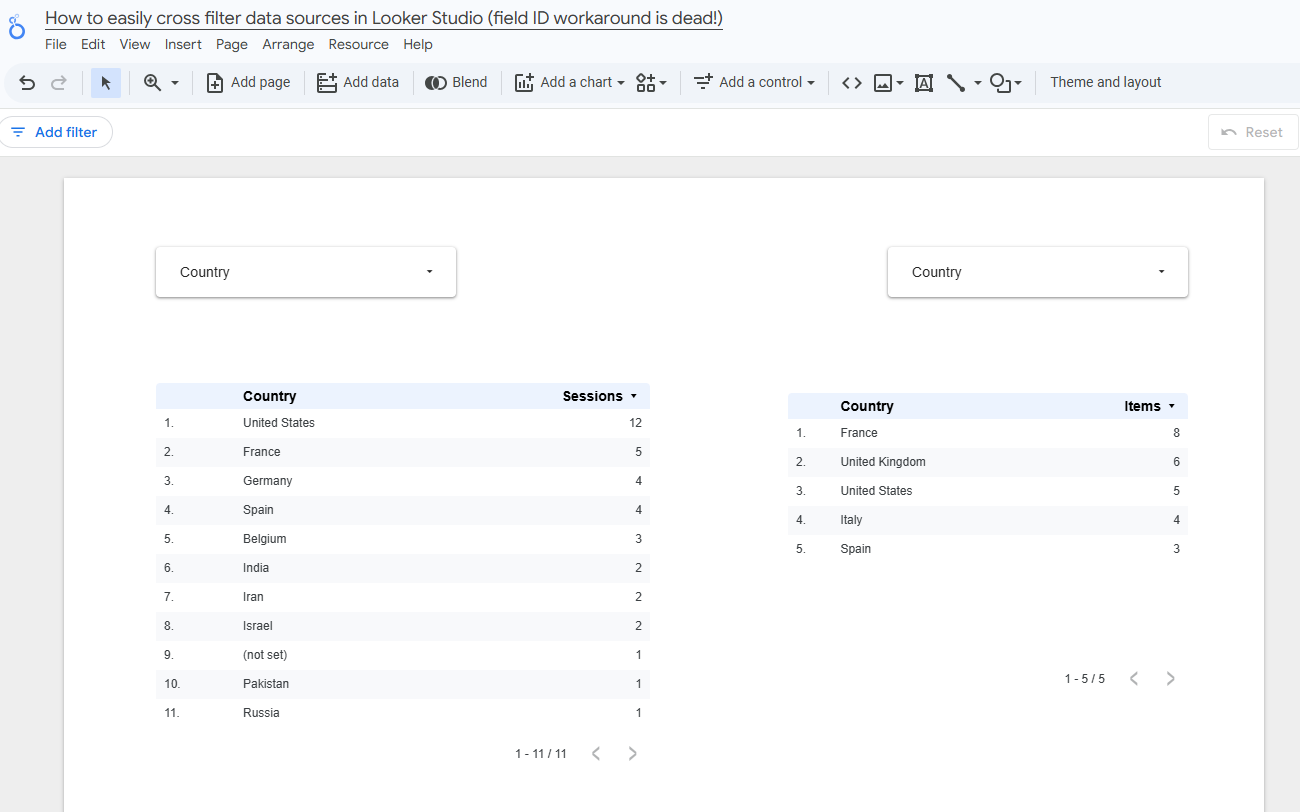
Which could lead to:
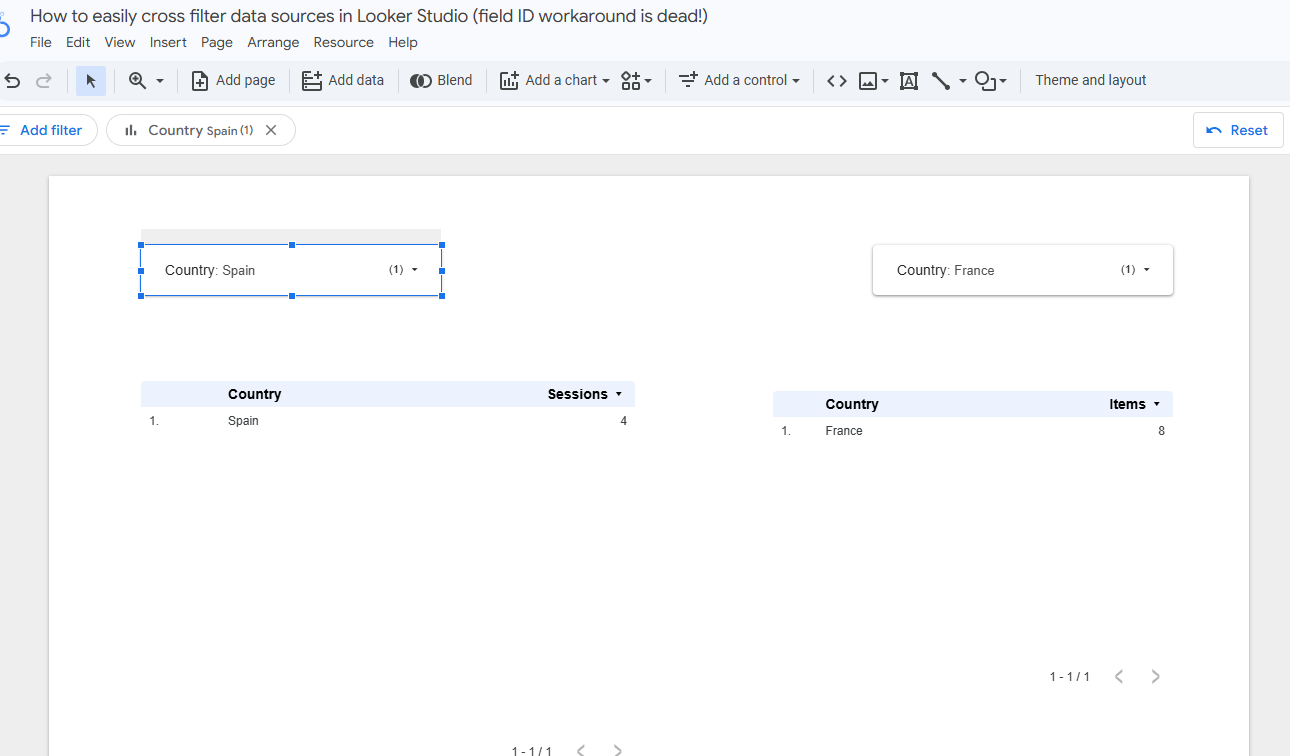
So, what’s the solution?
Map both fields to share the same ID!
In Edit mode, click on Resource, and then Manage field names and IDs:
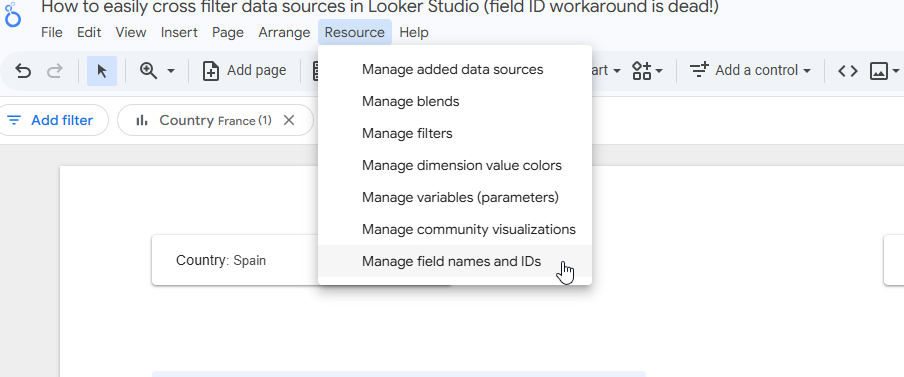
We are going to add field override:
First: select the first data source, the field you want to override, set its display name and choose an ID override
Then: select the second data source, same process and make sure to use the same ID override
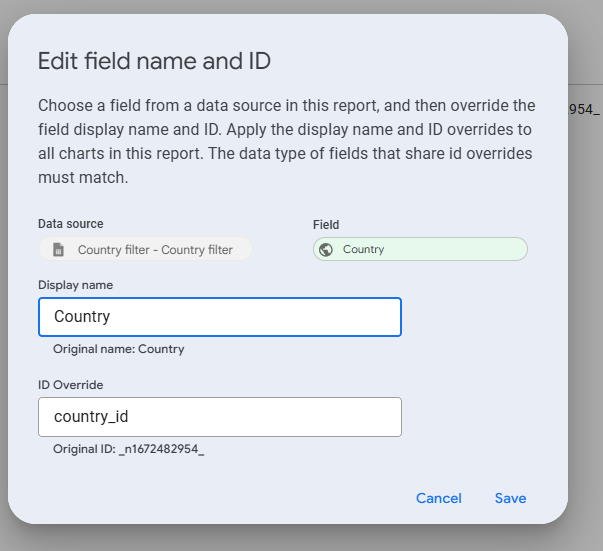
Alternative: just override the ID of one field to match the existing ID of the other field, works as well
And that’s it! Now, fields share the same ID, and so filters on one control will be applied to both tables:
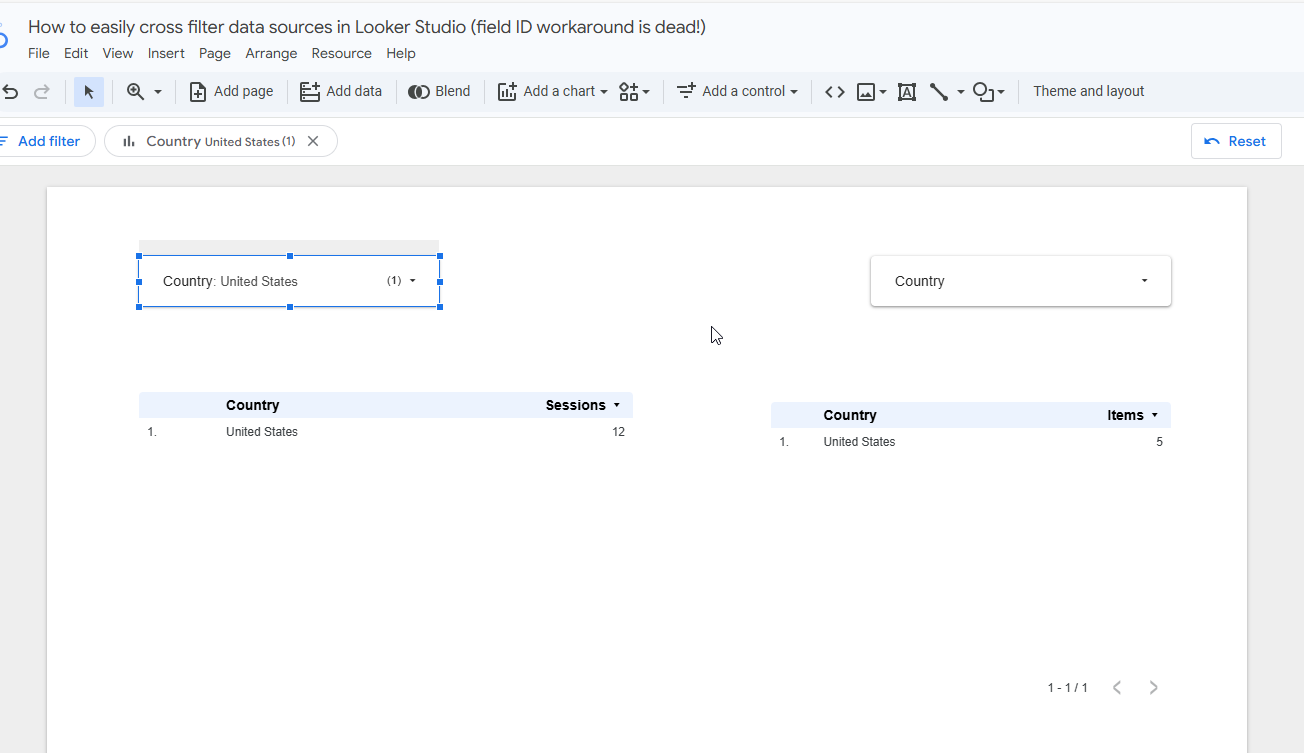
That being said, if values of our two fields differ between the two data sources and you want to have a single full list, our workaround here is still valuable, so check it!
In this article, we’ve reviewed how to easily cross filter data sources in Looker Studio (field ID workaround is dead!).
PROBLEM SOLVED
Top Looker Studio connectors we love and use on a daily basis (all with free trials): PMA - Windsor - Supermetrics - Catchr - Funnel - Dataslayer. Reviews here and there.
Not sure which one to pick? Have a question? Need a pro to get a project done? Contact us on LinkedIn or by e-mail, and we’ll clear up any doubt you might have.
Looking for Looker Studio courses? We don’t have any… but you can check Udemy!
Communicate and browse privately. Check Proton Mail and Proton VPN
Website hosted by Tropical Server